
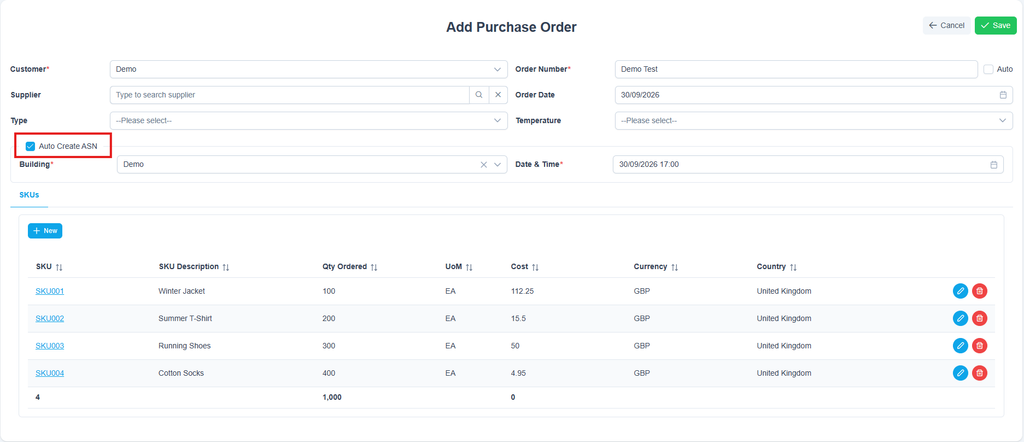
In order to receipt stock into Induktd, you need to create an Advance Shipping Notice (ASN) from the Purchase Order (PO) raised. The simplest way to do this is to select the “Auto Create ASN” box when adding a PO. It will ask you to select the building if there is more than one location option for your customer profile and to select the date and time of the booking:
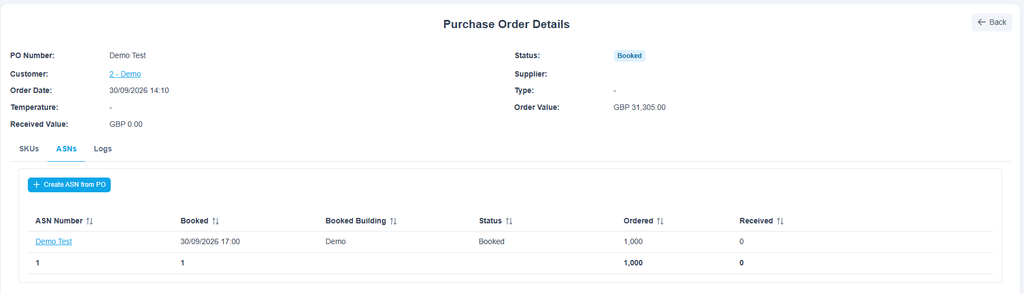
Once the above steps are complete and the PO is saved it will then create the PO with the ASN already generated and it will use the PO number created because the PO is now effectively replaced with an ASN once it is booked for goods in receipt:
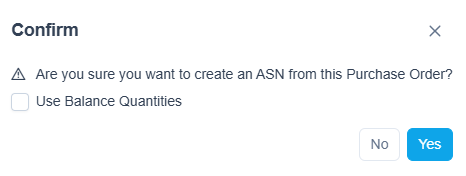
If you do not select the “Auto Create ASN” box when adding the PO you can instead select the blue button showing +Create ASN from PO”. Next it will ask you to confirm your intention to create an ASN with the available option to select if you want it creating by the “Use Balance Quantities” box as a way to create an additional ASN if only part of the ASN was received and there is more to be received at a later date:
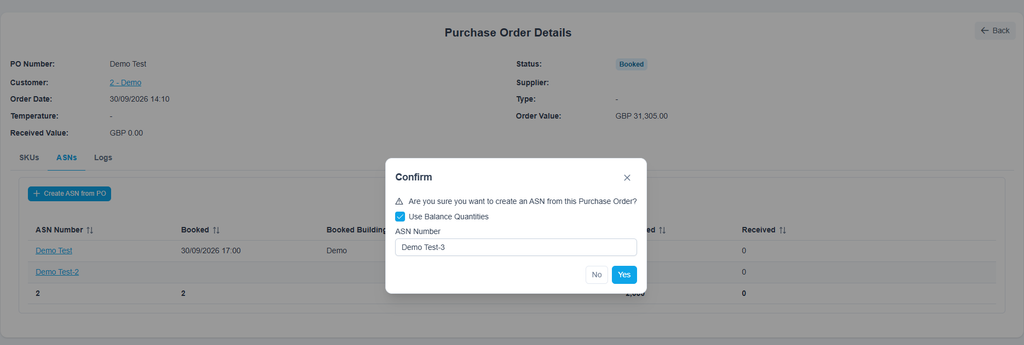
If there is a need to create additional ASNs and you tick the box it will ask you for a new ASN number allowing you to customise how you separate them from or keep them connected to the original ASN:
Once additional ASNs are created, if needed, you will then need to book them in by selecting the ASN number in blue from the ASN Number column :
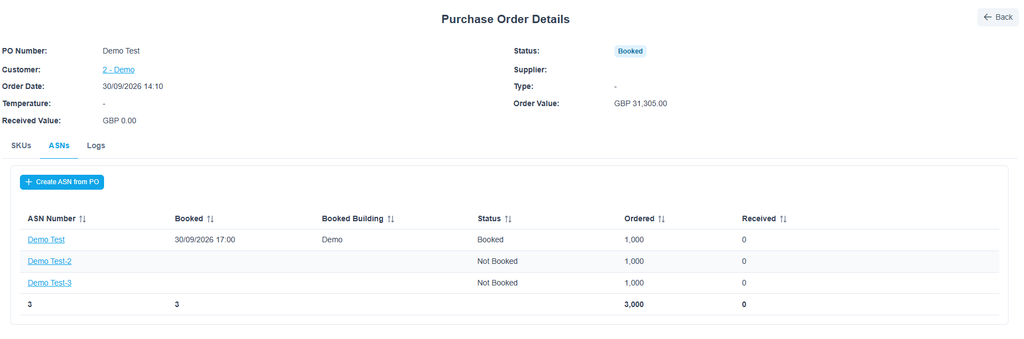
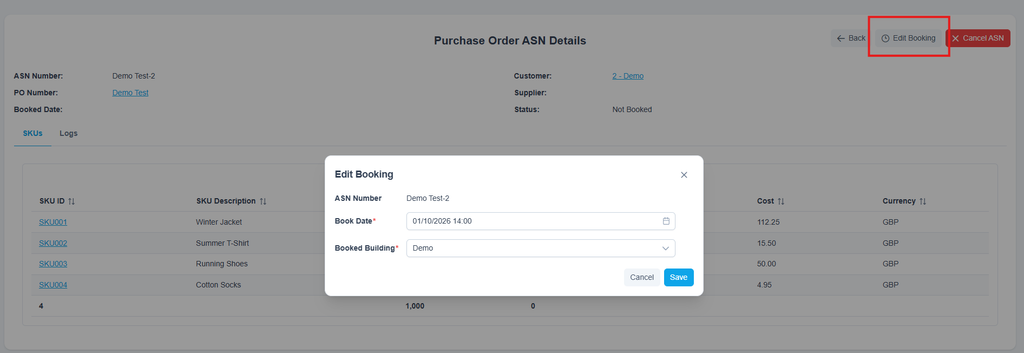
Then you will be in the Purchase Order ASN Details page and you will select “Edit Booking” and select the book date and time and the building it is going to if there is more than one:
Note: When a Purchase Order (PO) has a direct 1:1 relationship with an Advanced Shipping Notice (ASN), the PO is automatically deprioritised in search and other areas of visibility in the system because it is replaced by the ASN once it is finalised and booked. In this scenario, searching for either the PO or ASN number will display only the ASN record, as both documents share the same identifier. Conversely, if a single PO is fulfilled via multiple partial shipments, the PO remains active alongside its corresponding ASNs to track the remaining balance. This helps users focus in on the data they need, rather than showing duplicate entries of the same information.